Game Guides
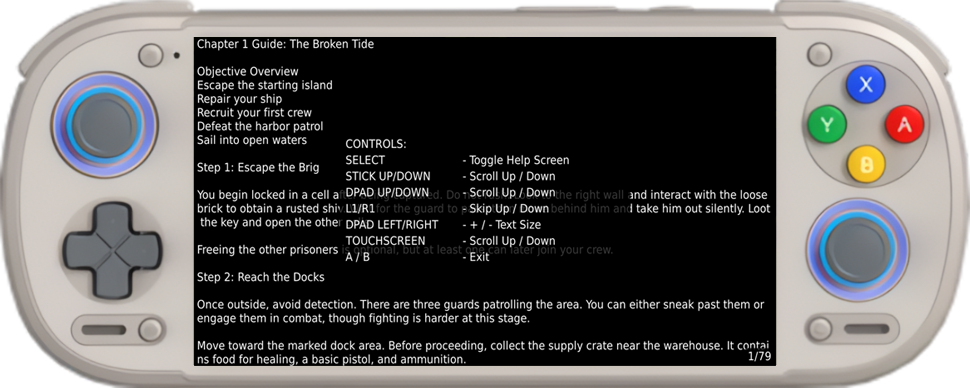
ROCKNIX has a built in text viewer you can launch in game to view text based game guides, like those found at GameFAQs.
Setup
- Create a .txt file with the exact same name as the game you wawnt a guide for.
Example:
ROCKNIX The Game II (U).nes would have a corresponding game guide file titled ROCKNIX The Game II (U).txt
-
Save your guide text to this .txt file you created.
-
Place your .txt guide file in the same folder as your game.
Example:
ROCKNIX The Game II (U).nes goes in /storage/roms/nes, place ROCKNIX The Game II (U).txt also in /storage/roms/nes
Usage
While playing a game to view your guide hold L1 and press Button North to launch your guide.
For games that have no guide or the guide was not titled correctly nothing will happen
When closing the guide and reopening it will load to the exact same spot in the guide. Even if you exit the game and open at a later time.
Only text is supported, no special characters like emojis or images.
Controls
*Select: Toggle Help Screen
*Analog Stick: Scroll Up or Down
*Dpad Up / Down: Scroll Up or Down
*L1 / R1: Scroll Up or Down
*Dpad Left / Right: Increase or Decrease Text Size
*Touschreen Up / Down: Scroll Up or Down
*A or B: Exit