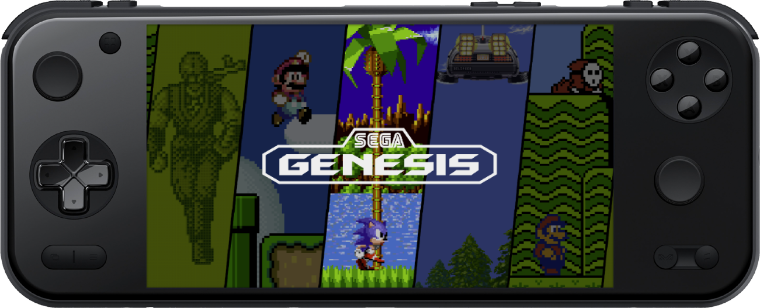
AYANEO Pocket S2 (SM8650)
Overview
Device
CPU / Architecture
Kernel
GL driver
Vulkan driver
Interface
AYANEO Pocket S2
Qualcomm G3 Gen3 (SM8650)
Mainline Linux
Freedreno
Turnip
Sway + Emulation Station
Features
Feature
Notes
See: installtointernal
Can be turned on in Emulation Station under Main Menu > Network Settings
Supports bluetooth audio and controllers
Managed by the kernel.
Supports selecting from a set of colors, battery level status,
Can be turned on or off in Emulation Station under
See: Fake Suspend
Flashing OpenABL
OpenABL is the bootloader used to boot ROCKNIX. Downloads are available from the OpenABL releases page.
Once you have written the image to an SD card, insert the card and boot into Android.
Copy the openabl folder from the SD card to the root of Android Internal Storage.
Execute as root the backup_abl.sh script from the Internal Storage to backup your current ABL.
After backup, execute as root the flash_abl.sh script to flash OpenABL.
Reboot your device holding the Vol- key to enter the OpenABL menu.
Navigate to the 'Device model' option using the Vol- / Vol+ keys, and hit the Power button to select and pick your device.
Navigate to 'Start' using the Vol- / Vol+ keys, and hit the Power button to start ROCKNIX.
Controls
Global Hotkeys
Button Combo
Action
L1 + START + SELECT Exit Emulator / Application
HOME + Vol + Brightness Up
HOME + Vol - Brightness Down
START + Vol + LED on
START + Vol - LED off
HOME + START + Vol + WIFI enable
HOME + START + Vol - WIFI disable
L1 + SELECT + B(SOUTH) Touchscreen toggle (disable / enable)
RetroArch Hotkeys
Button Combo
Action
HOME + START (x2) Quit Game
HOME + R1 Save State
HOME + L1 Load State
HOME + X(NORTH) Open RA Menu
HOME + B(SOUTH) Reset Game
HOME + Y(WEST) Show FPS
HOME + A(EAST) Take Screenshot
HOME + R2 Fast-Forward
Notes:
By default ROCKNIX will detect your controller and configure RetroArch hotkeys automatically. This is controlled by the "AUTOCONFIGURE RETROARCH HOTKEYS" option in the Settings > Controller & Bluetooth menu. While the option is enabled, RetroArch hotkeys will be overwritten by the above defaults each time RetroArch is launched. If this behavior is not desired that option can be disabled and your user-defined RetroArch hotkeys will be used instead.
Button Combo
Action
START Start
B(SOUTH) A
Y(WEST) B
Right Analog Up C Up
Right Analog Down C Down
Right Analog Left C Left
Right Analog Right C Right
L2 Z
L1 L
R1 R
HOME + START Quit Game
HOME + R1 Save State
HOME + L1 Load State
HOME + Y(WEST) Take Screenshot
HOME + B(SOUTH) Reset Game
Notes:
Z L
Highlight the game and press X(NORTH)
Select ADVANCED GAME OPTIONS
Set EMULATOR to MUPEN64PLUSSA
Then change INPUT ONFIGURATION
Default: L1 = L, L2 = Z
Z & L SWAP: L1 = Z, L2 = L
You can also create your own custom controller configuration and add it to /storage/.configs/game/configs/mupen64plussa. Then update INPUT CONFIGURATION to CUSTOM following the same steps as above.
PPSSPP-SA (PSP )
Button Combo
Action
START Start
SELECT Select
A(EAST) Circle
B(SOUTH) Cross
X(NORTH) Triangle
Y(WEST) Square
L1 L
R1 R
R2 Save State
L2 Load State
L3 Open Menu
Button Combo
Action
HOME + START Quit Game
HOME + R1 Save State
HOME + L1 Load State
HOME + B(SOUTH) Screenshot
HOME + A(EAST) Change Aspect Ratio
HOME + D-Pad Up Increase current state slot
HOME + D-Pad Down Decrease current state slot
HOME + R2 Increase Emulator Speed
HOME + L2 Decrease Emulator Speed
Button Combo
Action
HOME + START Quit Game
HOME + R2 Save State
HOME + L2 Load State
HOME + B(SOUTH) Screenshot
HOME + Y(WEST) Change Internal Resolution
HOME + A(EAST) Change Aspect Ratio
HOME + X(NORTH) Show FPS
HOME + D-Pad Up Increase current state slot
HOME + D-Pad Down Decrease current state slot
HOME + R1 Fast-Forward
AetherSX2 (PS2 )
Button Combo
Action
HOME + R1 Save State
HOME + L1 Load State
HOME + X(NORTH) Open Menu
Required Bios Files
Path
SCPH-70012.bin
/roms/bios/aethersx2/bios
Button Combo
Action
HOME Open Menu
Required Bios Files
Path
Complex_4627v1.03.bin
/roms/bios/xemu/bios
mcpx_1.0.bin
/roms/bios/xemu/bios
Duckstation (PSX )
Button Combo
Action
HOME + R1 Save State
HOME + L1 Load State
HOME + R2 Fast-Forward
HOME + X(NORTH) Open Menu
HOME + A(EAST) Screenshot
HOME + START Quit Game
Supported Bios Files
Path
List /roms/bios
Button Combo
Action
HOME + L2 Toggle Layout
HOME + R2 Swap Screens
HOME + R1 Quicksave
HOME + L1 Quickload
HOME + START Quit Game
Button Combo
Action
HOME + R1 Save State
HOME + L1 Load State
HOME + R2 Fast-Forward
Button Combo
Action
HOME + R1 Quicksave
HOME + L1 Quickload
HOME + X(NORTH) Open Menu
Additional References